
How to Beat Pufferfish in How to Fish
Trigger Pufferfish with the endangered-fish tourist task, then use trees, short damage windows, and the right difficulty to beat the boss safely.
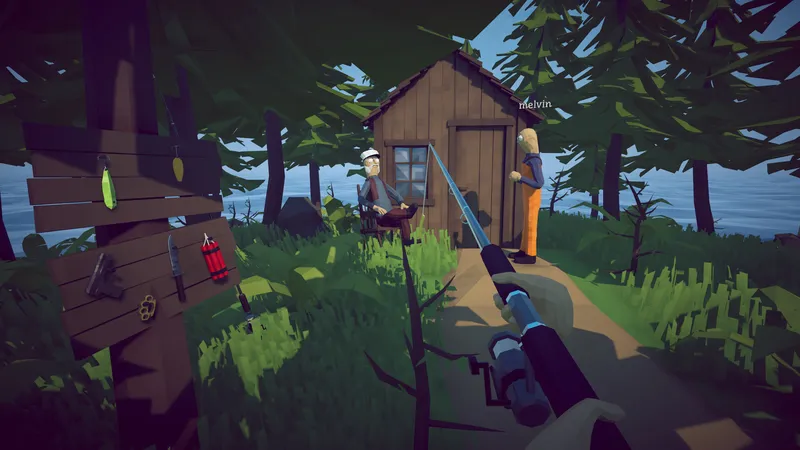
Trigger Pufferfish with the endangered-fish tourist task, then use trees, short damage windows, and the right difficulty to beat the boss safely.
DIRECT ANSWER
Inspect Island 3 catches until you find an endangered fish, give one to the tourist, and keep the carrot reward for the Pufferfish trigger. If the boss does not appear, verify this objective chain before changing weapons or difficulty.
Multiple player reports and videos use trees to interrupt the most dangerous movement. Take a short damage window, relocate, and avoid committing to a long reload in the open.
Official patch 1.0.4 reduced Pufferfish difficulty. Patch 1.0.9 added Easy mode with 25% less creature health and 50% less creature damage, so record version and difficulty before comparing an older video.
A Pufferfish fight that never starts is usually a progression question, not a damage problem. On Island 3, find and inspect the endangered fish required by the tourist, then give that fish to the tourist and keep the carrot received in return. The carrot is the quest item used as bait for Pufferfish. Read the active objective after each interaction so the fish hand-in and carrot reward are visibly confirmed before searching the arena.
In co-op, name the player carrying the endangered fish and the player carrying the carrot. Bring the required carrier to the interaction and wait for the objective to update before moving on. If the carrot is missing, return to the tourist step instead of changing weapons or difficulty. Once the trigger is complete, use the combat plan below. This separates the rising search question about the endangered fish from the actual Pufferfish positioning strategy without creating a duplicate page.
Players searching how to beat Pufferfish in How to Fish should begin with cover and current-version expectations. Focused footage and repeated player reports use the trees and terrain to interrupt the most dangerous approach. Identify two pieces of cover before triggering the encounter so movement has a destination. Deal damage from a position that still has an exit, then relocate before a long reload or the dangerous phase removes that route.
Official patch notes state that Pufferfish difficulty was reduced in version 1.0.4, and later difficulty options can also affect expectations. Older launch footage may show a longer or harsher fight without being wrong for its recorded version. Use it to understand the arena and broad pattern, not as a permanent health benchmark. The live behavior, selected difficulty, and current patch are stronger evidence than the exact number of attacks shown in an older video.
Before attacking, choose the next cover position and keep the path clear. A common failure is staying behind one tree until the boss closes the angle and the player has nowhere to move. Use cover as part of a route, not as a permanent hiding spot. Step out for a short burst, watch the boss response, and move while there is still time to reach the next safe position.
Reload timing should fit that route. If the weapon requires a long recovery, begin it only after cover has broken the immediate pressure. Do not reload in open ground merely because the magazine is empty. A shorter damage burst with a safe reset is more repeatable than a larger burst that ends with the player trapped. Several ranged setups can work when they respect this rhythm, so the guide does not declare one mandatory weapon.
A solo player should keep the boss on a predictable side of the arena and avoid crossing a route that will be needed moments later. Patience is valuable because every reload, reposition, and damage window belongs to the same player. If the dangerous phase begins, prioritize the escape route before finishing an attack. An attempt that resets safely can continue, while a greedy burst may end the fight immediately.
In co-op, spread around different cover points without pulling the boss through a teammate. Call movement direction and avoid beginning simultaneous long reloads. One player can preserve attention while another takes a short window. After victory, collect the progression item and confirm the objective update. If the fight appears dramatically different from a guide, verify version and difficulty before changing the entire strategy or assuming the current encounter is bugged.
Patch 1.0.9 added three difficulty settings. Easy gives creatures 25 percent less health and 50 percent less damage, Default keeps the earlier balance, and Hard gives creatures 25 percent more health and 25 percent more damage. Easy is useful when the main goal is learning the route between trees, recognizing the dangerous phase, and finding a safe reload window. The setting changes the punishment for mistakes, but it does not replace the cover plan.
Record both version and difficulty when comparing a Pufferfish video or asking for help. A launch recording, a current Easy attempt, and a current Hard attempt can require different numbers of attacks while sharing the same movement pattern. Open the Difficulty Settings page for the exact menu location and official values. Keep this page focused on the Pufferfish problem: preserving an exit, using terrain to break pressure, taking short damage windows, and resetting safely before the next approach.
Review the moment immediately before the loss. If the boss reached the player during a reload, move the recovery behind cover or end the previous attack earlier. If the player became trapped behind one tree, choose two cover points before the next attempt and rotate between them. If teammates crossed the same escape lane, spread to separate positions and call the intended direction. Change one cause at a time so the next attempt shows whether the adjustment worked.
Do not grind unrelated upgrades when the visible problem is positioning, and do not lower difficulty to solve an encounter that never triggered. A missing objective item belongs in the progression guide, while a joining black screen belongs in Support. The Pufferfish answer should lead to a repeatable combat cycle rather than a broad list of every possible game problem. After the win, secure the progression reward and confirm the next objective before leaving the arena.
Inspect Island 3 catches for an endangered fish, give one to the tourist, then use the carrot he provides as the boss bait.
Videos and players show several workable ranged setups. Choose one that lets you deal short bursts and relocate safely instead of treating one weapon as mandatory.
Official patch notes say Pufferfish was nerfed in version 1.0.4, and later difficulty options can also change enemy health and damage.
Yes. Patch 1.0.9 added Easy mode, which gives creatures 25% less health and 50% less damage. The cover and movement strategy still applies.
REFERENCE RECORD