
How to Change Difficulty in How to Fish
Change How to Fish difficulty from the main menu or in game, compare official Easy, Default, and Hard values, and choose a mode for a boss run.
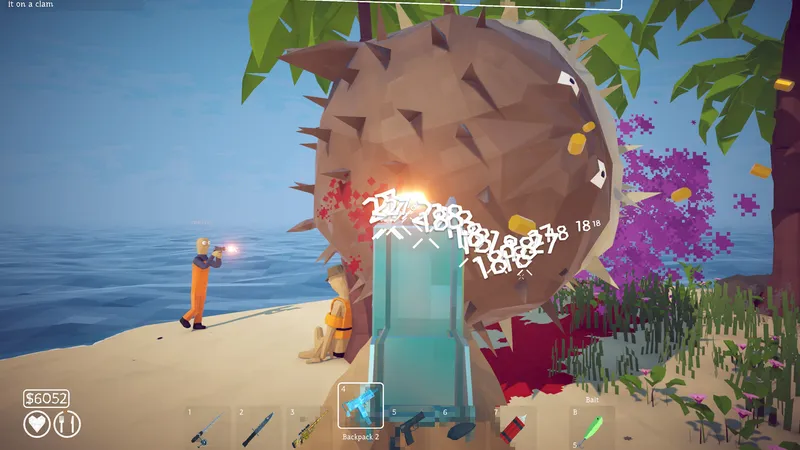
Change How to Fish difficulty from the main menu or in game, compare official Easy, Default, and Hard values, and choose a mode for a boss run.
DIRECT ANSWER
Easy reduces every creature’s health by 25% and damage by 50%. Hard increases creature health by 25% and damage by 25%. Default preserves the balance used before the new options were added.
Difficulty changes creature health and damage, not quest order, island unlocks, missing items, or network behavior. Lowering it can make a boss more manageable, but it will not make an incomplete hand-in or black-screen problem resolve.
A boss video recorded on Default may not match a current Easy or Hard attempt. Note the selected mode and game version before comparing time-to-kill, incoming damage, or the number of safe attack windows.
Difficulty controls were added in patch 1.0.9 and can be opened from the main menu or while the game is running. Start by confirming Steam installed that version or a later update. If the option is not present, close the game, restart Steam, and let the update complete before changing other settings. A missing menu on an older build is a version problem, not evidence that difficulty is locked behind an island, boss, achievement, or new save.
Choose the mode before comparing a strategy with a video or another player. The Default option preserves the earlier balance, while Easy and Hard change creature health and damage. The official note does not say that the setting changes quest order, item drops, island unlocks, prices, or network behavior. Use it to tune combat pressure. Keep progression and technical questions on their dedicated pages so a lower difficulty is not presented as a repair for an incomplete objective or black screen.
On Easy, every creature has 25 percent less health and deals 50 percent less damage according to the official patch notes. The larger damage reduction gives players more room to learn movement, cover, reload timing, and unfamiliar boss phases. The health reduction also shortens encounters, but it does not remove the need to trigger them correctly. A missing Carrot, leech hand-in, Tuna step, or other objective remains a progression problem even when the fight itself becomes easier.
Hard gives creatures 25 percent more health and 25 percent more damage. That makes mistakes more expensive and extends the time a player must preserve safe movement. Default remains the baseline that existed before the new choices. When documenting a result, write the mode beside the version. A statement that a boss took a certain number of attacks has little value without those conditions, especially after official balance changes such as the Pufferfish nerf in patch 1.0.4.
Solo players may prefer Easy while learning an arena because every reload, recovery, quest item and movement decision belongs to one person. Default is appropriate when the original balance is desired and the current route is understood. Hard is best treated as an intentional challenge after the group can repeat the encounter mechanics. Choosing a lower mode is not a failure; it is a way to separate learning the pattern from surviving high incoming damage.
In co-op, agree on the selected setting before the host begins the session and describe it when sharing advice. A group with more players may divide attention and recovery more easily, but the official difficulty values still apply to creature health and damage. Do not assume that a larger lobby automatically changes the preset. If players disagree about what they are experiencing, verify the host settings, current game version and whether the session restarted after any lobby-specific configuration change.
Change difficulty when the actual blocker is creature durability or incoming damage. Do not use it as the first answer when an encounter will not trigger, a leech does not spawn, a boss reward is missing, a guest sees a black screen, or equipment disappeared from a save. Those symptoms require objective, connection, or save evidence. A focused difficulty page should make that boundary explicit so the setting is not advertised as a universal troubleshooting button.
After changing the mode, test one complete encounter cycle and observe which part improved. On Easy, use the additional survival time to practice cover and movement rather than standing in open ground. On Hard, shorten damage commitments and preserve more recovery space. Open the Pufferfish guide for a concrete cover-based strategy or the Boss directory for encounter-specific pages. This page answers one long-tail question: where the setting is and exactly what each official preset changes.
Official patch 1.0.9 says creatures have 25% less health and deal 50% less damage on Easy.
Creatures have 25% more health and deal 25% more damage on Hard.
The official note describes creature health and damage changes. It does not say that difficulty skips objectives, changes the boss order, or repairs a blocked quest.
REFERENCE RECORD