
How to Catch Fish in How to Fish
Learn how to cast, retrieve the lure, react after a fish connects, land the catch, and fix the common second-island bait confusion in How to Fish.
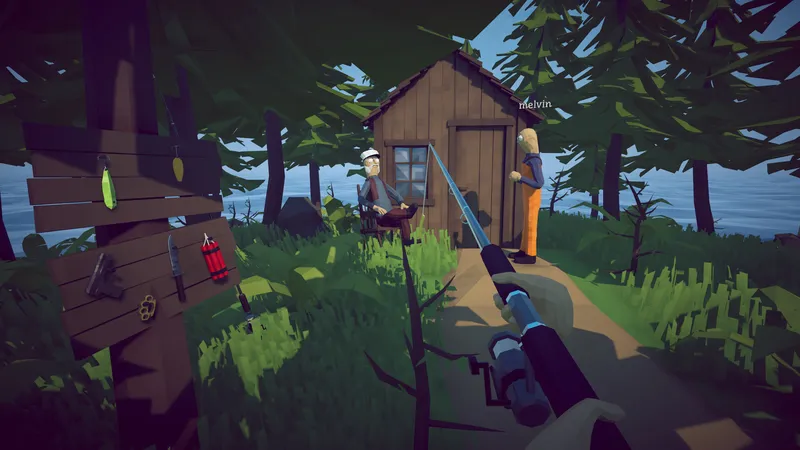
Learn how to cast, retrieve the lure, react after a fish connects, land the catch, and fix the common second-island bait confusion in How to Fish.
DIRECT ANSWER
Place the rod and lure in accessible inventory slots, hold the rod, and confirm the lure is attached before casting. Different progression tiers can produce different catch pools, so a quiet cast does not automatically mean the bait is broken.
Aim toward open water and cast. On the later rod, players repeatedly report holding the mouse button to retrieve the lure through the water. This movement is the missing step behind several second-island “bait does not work” reports.
After a fish connects, community reports describe clicking repeatedly to pull it in. Keep the line moving toward a clear landing area and follow any current on-screen prompt, because the exact input display can differ with keyboard, mouse, or controller setup.
A fish reaching shore may still need to be controlled or defeated before it becomes useful. Secure the catch, inspect whether it is ordinary, endangered, Drip, or tied to an objective, then decide whether to sell, cook, collect, or hand it in.
Before casting, place the current rod and lure where they can be selected without searching the inventory during a bite. Hold the rod, confirm the lure is attached, and face a stretch of water that leaves a clear route back to shore. A cast beside rocks, trees, structures, or another player can make the line and landed creature harder to control. The official game premise supports a catch, fight, and sell loop, so preparation includes both the water and the place where the fish will arrive.
Use a lure appropriate to the current progression tier, but do not assume that every quiet cast proves the lure is broken. Community reports on Island 2 show that players can attach bait correctly and still miss the retrieve input required by the later rod. Test the full control sequence before spending money on replacements. If the objective requires a special boss bait, protect that item and use the relevant boss guide because quest bait does not behave like a reusable ordinary lure.
Two independent Steam discussions describe the same mouse pattern. While the lure is free in the water, hold the mouse button to retrieve it. Once a fish connects, click repeatedly to pull the catch toward shore. This distinction explains why a player can cast normally yet believe the new rod or second-island bait does nothing. Waiting indefinitely leaves the lure stationary, while clicking as though a fish is already attached may not perform the same retrieve action.
Treat the live on-screen prompt as the final authority because keyboard, mouse, controller, rebinding, and later patches can change the displayed input. The community reports establish the behavior that solved the current confusion, not a permanent universal key chart. If holding and clicking produce no visible line movement, restart the current test in open water, confirm the held item is the rod, and record the input device and version before reporting a control problem.
After the connection, keep the pull directed toward a clear shoreline instead of dragging the fish behind scenery or into a crowded shop area. Preserve enough space to move when the creature reaches land. How to Fish does not always treat shoreline contact as the final result: the physics-based catch may remain active, dangerous, or movable. Continue following the prompt until the creature is controlled and the inventory, value, Fishipedia, or objective provides visible confirmation.
If a catch escapes, identify the stage that failed. A lure that never moved points to retrieval or input. A fish that connected but never reached shore points to reeling or route. A landed creature that disappeared before registration points to securing, combat, physics, or a version-specific bug. Changing rod, lure, weapon, and location at the same time hides the cause. Repeat the smallest failed stage once with the same setup before deciding that equipment needs to change.
Ordinary catches can fund equipment, but special catches may answer a quest or collection objective. Inspect the item before selling it. Island 3 progression, for example, requires an endangered fish for the tourist before the player receives the carrot used to trigger Pufferfish. Drip creatures belong to Fishipedia and achievement cleanup, while boss trophies commonly belong to a hand-in. A catch guide should teach this decision boundary without pretending every species has the same purpose.
When the next question is which lure catches a specific species, move to a verified lure or collection reference rather than guessing from island scenery. The current site does not publish a complete lure table until every row can be checked. Open the Beginner Guide for spending and early priorities, the Walkthrough for quest order, or Leeches for the ground-item objective on Island 2. Those links keep this page focused on one result: making the cast, retrieve, connection, landing, and secure sequence repeatable.
Players often mistake the later rod’s retrieve behavior for a bait failure. Try holding the current retrieve input after casting, then click repeatedly only after a fish connects.
Community reports distinguish two stages: hold to retrieve the free lure, then click repeatedly after a fish connects. Follow the live prompt if your current input setup displays something different.
Not always. How to Fish combines fishing with physics and combat, so secure the landed creature and confirm the item, value, or objective count updated before leaving.
REFERENCE RECORD