
How to Fish Co-op Guide: Join Friends and Keep Progress
Play How to Fish online co-op with up to eight players, keep every client on the same version, coordinate quest items, and separate lobby issues from progression problems.
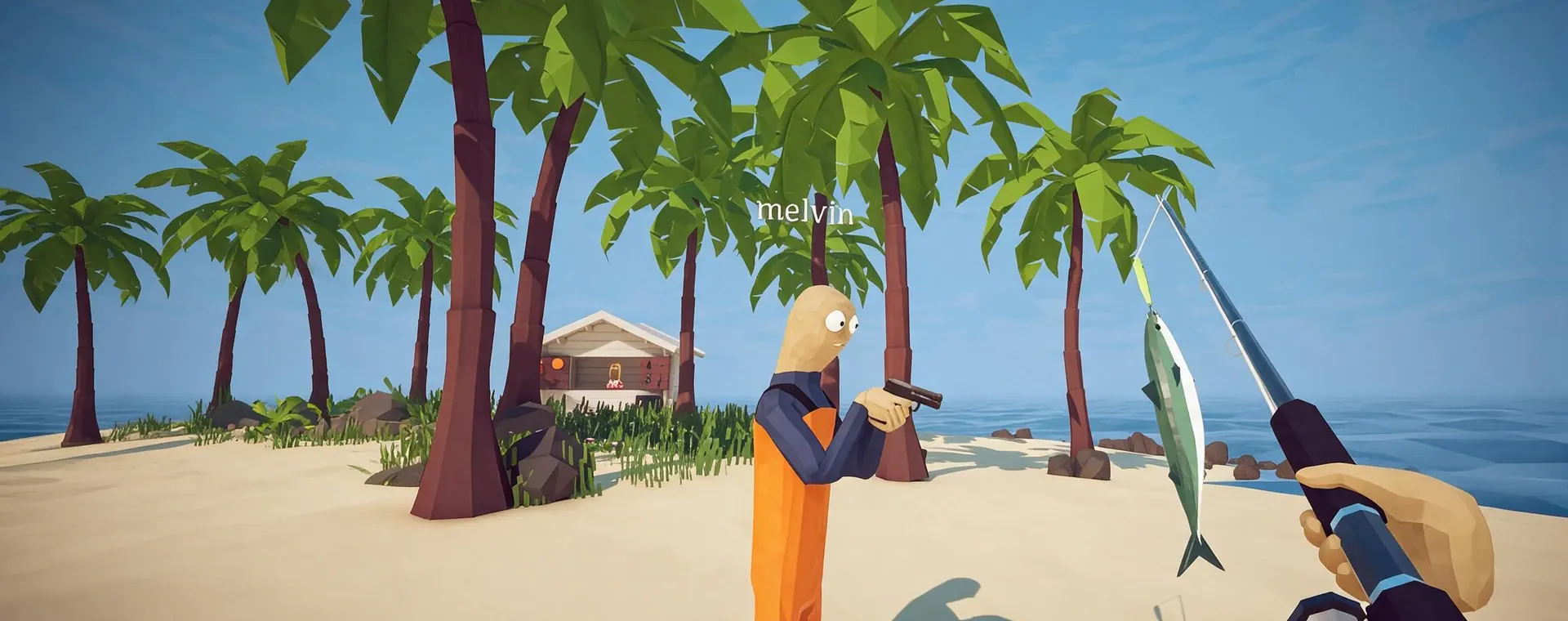
Play How to Fish online co-op with up to eight players, keep every client on the same version, coordinate quest items, and separate lobby issues from progression problems.
DIRECT ANSWER
The Steam store description still presents How to Fish as a one-to-four-player game, while the developer patch notes for version 1.0.4 added support for lobbies with up to eight players. Groups of five, six, seven, or eight should update every client before hosting and do not need a larger-lobby mod for the official current capacity.
Launch the current Steam build, create the online lobby, and invite friends through the normal Steam session flow. Confirm the host and every guest show the same game version before diagnosing a failed invite. This page does not claim local split-screen or crossplay with an unannounced console or Mac release.
The island route can be completed in co-op, but unique bait, boss drops, bodies, fins, and tails should stay with a known player until the related objective updates. Bring that carrier to the NPC, wait for the new objective text, and only then split up to fish, shop, or travel. This prevents an inventory hand-off from looking like a missing map location.
If a guest joins to a black screen, loading state, or locked camera, use the Black Screen guide and preserve the current version, lobby size, Relay state, and host or guest role. If everyone can move normally but the next island stays locked, inspect the last quest item and hand-in instead. Recreating a lobby can test a connection problem, but it does not complete a missing objective.
How to Fish launched with a Steam description built around one-to-four-player online co-op, but official patch 1.0.4 added lobby support for up to eight players. That later patch is the current capacity fact. A group of five, six, seven, or eight should first confirm that every participant installed the current build instead of looking for a larger-lobby mod or assuming the old store summary is a hard limit.
The cited official pages establish Windows PC online co-op. They do not establish local split-screen, a current console or Mac release, or crossplay with platforms that are not yet available. Keep those questions separate from lobby size. The Game Info page owns platform and purchase status, while this guide owns joining, group coordination, and the difference between a lobby symptom and an unfinished objective.
Update and restart Steam, launch the current game build, create the lobby, and invite friends through the normal Steam session flow. Before beginning a boss chain or timed achievement, have every guest join, move, rotate the camera, open the pause menu, and confirm the same visible objective. This short test exposes a version or joining problem before unique bait or a boss reward is in circulation.
When only one player has trouble, record host or guest role, lobby size, game version, Relay state if visible, and the exact screen where the failure begins. A black screen with audio or a camera lock is a technical symptom, not proof that the group exceeded the player limit. Open the Black Screen guide for the safe diagnostic path and preserve the working host state instead of changing quest progress at random.
Larger lobbies make item responsibility more important. Name one carrier for every unique bait, boss body, fin, tail, key progression reward, or requested catch. Keep that player near the objective giver and wait for the new text before the group disperses. A visible victory does not prove that the related hand-in happened, and another player may hold the required object after a chaotic fight.
Players can still divide practical jobs without fixed classes. One person can read the route, another can watch added enemies, and the named carrier can protect the progression item. The arrangement should support the current objective rather than become permanent. When the group reaches a new island, repeat the same short rule: identify the item, identify its carrier, complete the interaction, and confirm the update.
If everyone can move, fish, fight, and open menus but the next route is missing, work backward from the last boss reward or NPC hand-in. Bring the item carrier back to the relevant character and compare host and guest objective text. Recreating a lobby may reconnect players, but it cannot submit a tail, fin, bait, or quest catch that was never delivered.
If a guest cannot see or control the game normally, preserve the symptom and use the technical support path. If joining works but a player has forgotten the route, open the Walkthrough. If the question is whether the game can be bought for another platform, open Game Info. These boundaries prevent one multiplayer page from competing with the platform, walkthrough, and black-screen answers while keeping each follow-up within one click.
Official patch 1.0.4 added support for lobbies with up to eight players. The older Steam store description still says one to four, so use the current patched limit.
No. The current official build supports up to eight players. Update every participant and recreate the lobby before treating capacity as a mod problem.
The cited official pages establish online co-op, not local split-screen. Do not assume local multiplayer from the eight-player online lobby update.
Record whether the guest sees a black screen, still hears audio, can open the pause menu, or cannot rotate the camera. Then use the focused Black Screen guide for current safe checks.
The broad route remains objective-driven. Co-op mainly adds item-carrier and lobby-state checks, so confirm every unique reward and hand-in before traveling.
REFERENCE RECORD