
How to Fish Items Disappeared: Save Safety Guide
Protect your How to Fish save, identify missing-equipment symptoms, understand current patch status, and use the official recovery route safely.
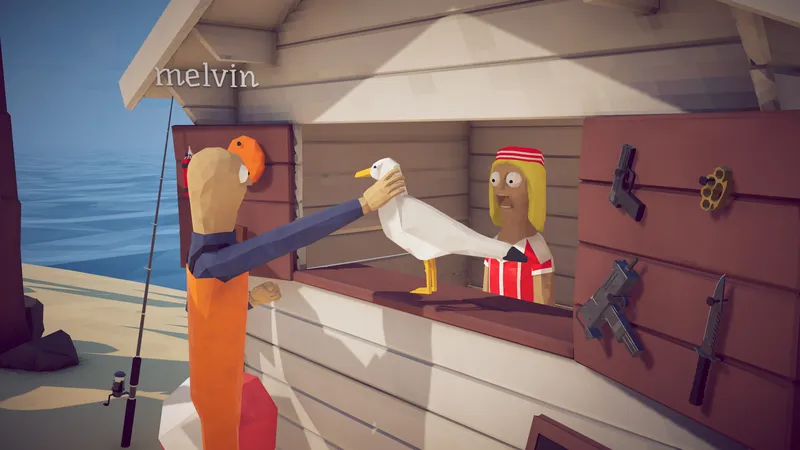
Protect your How to Fish save, identify missing-equipment symptoms, understand current patch status, and use the official recovery route safely.
DIRECT ANSWER
Before trying a recovery, record whether the problem affects one weapon, every equipped item, upgrades, local inventory, or the server entry itself. Note whether it appeared after a death, update, crash, ordinary save, main-menu exit, or next-day reload.
Do not delete saves, download replacement files, or repeatedly overwrite progress while the cause is unknown. Capture the version number, lobby role, missing inventory and last known good moment so official support can distinguish corruption from an item-specific crash.
Patch 1.0.6 says the game no longer saves when the application crashes, saves when Save, Main Menu or Quit is pressed, and still autosaves every minute. Patch 1.0.9 says corrupted-save handling was hopefully fixed and directs remaining loading or weapon-equip crashes to the official Discord.
Restart Steam after installing the current patch and consult the official Discord common-bugs area with the recorded evidence. This independent guide does not publish destructive file-removal instructions without the exact current developer procedure.
When equipment is missing on another computer or after returning later, confirm the same Steam account, save or lobby entry, game version, and host role were used. Do not overwrite the known-good state repeatedly while comparing devices. Record whether the original computer still shows the items so support can distinguish synchronization from a save-wide inventory loss.
Start by recording exactly what disappeared. A single weapon that crashes while equipped, every tool missing after a reload, upgrades lost after an update, and a server entry that will not load are different symptoms. Write down the current version, whether the affected player hosted or joined, the island reached, and the last moment when the inventory was visibly correct. Community reports describe fully upgraded weapons, tools, and equipment disappearing, so a useful support report needs more detail than saying the save is broken.
Also record what happened immediately before the loss. Note whether the game crashed, the player died, Steam updated the build, the group used Save, Main Menu, or Quit, or the items were missing only on the next day. Do not repeatedly reproduce a destructive outcome merely to gather more evidence. One clear sequence, a screenshot of the current inventory, and the affected save or lobby name are enough to begin comparing the symptom with official patch notes and developer-linked common-bugs guidance.
Patch 1.0.6 changed when How to Fish writes progress. The official note says a crash no longer triggers a save. Instead, the game saves when the player presses Save, Main Menu, or Quit, while automatic saves still occur every minute. The same patch added a validation check before loading a save so invalid entries would not appear as fake servers named Game Name. These changes explain current behavior but do not prove that every older or damaged save can be restored.
Patch 1.0.9 says corrupted saves were hopefully fixed and specifically mentions remaining problems with loading saves or crashes when equipping weapons. The developer directs those cases to the Community Discord for current removal guidance. The word hopefully matters: it describes a fix attempt, not a guarantee. This fan guide should report the current patch status and official support route without inventing a universal file operation that might differ by version or remove the wrong item.
Install the current update through Steam and restart Steam completely before testing the save again. Preserve the existing files and avoid unofficial repair programs, replacement executables, achievement unlockers, or downloads that claim to restore equipment. Do not follow a generic instruction to delete a save or weapon entry when the exact current developer procedure is unavailable. Those actions can remove evidence, overwrite recoverable progress, or create a second issue that is harder to diagnose.
Capture the current inventory and lobby list, then stop changing multiple variables at once. If the game loads, verify whether the loss affects every item or only one equipment category. If equipping a specific weapon crashes the game, do not keep selecting it. Record the item name and report that narrower symptom. If the entire save fails to load, report the loading state instead of describing it as an inventory bug. Clear classification helps the official support channel choose the relevant current guidance.
Use the developer-linked Community Discord common-bugs area when safe checks do not resolve the problem. Include the How to Fish version, Windows version, host or guest role, save or lobby name, last known good moment, missing items, and whether the symptom appeared after a crash, death, update, or ordinary exit. Mention the checks already performed and whether the game still loads. Do not include passwords, Steam credentials, private tokens, or unrelated personal files.
A community thread can show that several players experienced the same loss, but it cannot recover an individual inventory. This page therefore does not promise restoration or repeat an unverified file edit. Open Black Screen troubleshooting when the save loads but the display fails while joining. Open Game Info for official platform and update links. The missing-items page keeps one purpose: preserve evidence, explain current official save behavior, avoid destructive steps, and route unresolved cases to the current developer guidance.
No universal recovery is confirmed. Official patches changed save handling and attempted a corruption fix, but repeated community reports show that outcomes can differ.
Patch 1.0.6 says the game autosaves every minute and also saves when the player uses Save, Main Menu, or Quit.
Not from an unofficial generic instruction. Preserve the files and follow the current developer-linked common-bugs guidance for the exact symptom.
Record the account, device, save entry, host role, current version, last normal exit, and whether the original device still shows the items. Preserve both states and report the sequence without repeatedly saving over it.
REFERENCE RECORD